
What VINELink Covers in Winnebago County
Winnebago County's own corrections page points visitors to Wisconsin VINE at siteId 50100. The state's Department of Corrections, through its Office of Victim Services and Programs, calls WI VINE County Jails an anonymous custody-information and notification service run with local law-enforcement partners. English, Spanish, and Hmong are the supported languages. The service answers a narrow question. It tells you whether a custody status or notification record exists for one person, which is a different matter from the county's PDF lists.
VINE will not fill in for the Current Inmate List or the Media Blotter. The inmate list is a snapshot printed by the jail at a run time. The blotter covers a dated booking or release window. VINE tracks custody changes and sends alerts instead. A brand-new booking may not reach the service right away. The jail's list may show it first.
Start any Winnebago custody check at the county-linked Wisconsin VINELink entry point. That official page handles both searches and alert enrollment.

This deployment stops at the county jail. A person serving a Wisconsin DOC sentence belongs in the DOC offender locator. Federal inmates belong in the BOP locator. ICE's Online Detainee Locator covers immigration detainees. A county hold or detainer code alone does not show that any of those agencies actually holds the person.
How to Check a Winnebago County Arrest on VINELink
Searching is not the same as registering. Open the live Wisconsin VINE page first. Pick the county-jail service offered for Wisconsin. Then enter the person's name or another accepted field into the search. When several matches come back, compare identity and facility details. Do not assume similar names point to one person. Note the date of your search, since a custody status can shift at any time.
- Open the county-linked VINELink entry point and select the Wisconsin county-jail service.
- Enter the person’s name or available identifier in the public search screen.
- Review multiple matches carefully, using the facility and other displayed identity details.
- Read the current status as a custody result, not a court outcome.
- Choose the notification action only if you need a later release or transfer alert.
An empty result right after an arrest does not end the hunt. Cross-check the Winnebago 24 Hour Arrests report and the Current Inmate List. Two county lines handle phone questions. Call 920-236-7380 for jail information. Dial 920-236-7301 for sheriff records. Staff may route you to a records request rather than quote a live status. Never search a name just because a third-party page lists it. Name matches can be wrong. Have a lawful, specific reason. Confirming a known custody status counts. So does following a court or family matter, or setting up a notification.
The public result still carries the service's own data limits.
What VINELink Shows After an Arrest
Field labels on a live result can change, since the public interface evolves over time. Expect a custody status. It should come with enough facility or identity context to confirm the match. That is where it stops. A VINE result is not a copy of the county booking record. Charges and bonds may be missing. Court dates, booking photos, and final dispositions may be missing too.
| VINE information | What it can mean |
|---|---|
| Person match | A possible match in the service; compare identity details before treating it as the right person |
| Custody status | A status supplied through the participating custody system |
| Facility or jurisdiction | The participating county or facility context, which helps separate county from state records |
| Release or transfer change | An event for which an alert may be available; it is not a court disposition |
| Notification enrollment | A private subscription step, not a public list of who receives alerts |
A status you see today can go stale by your next visit. Delays behind county intake happen too. Quote it carefully: say "VINELink reported this status when checked," with the date and time. Keep any registrant's phone, email, PIN, or victim details private. An enrollment is never evidence about someone's character.
Courts, not VINE, track case progression. Use WCCA and the Clerk of Courts for that. Use Wisconsin DOC for state sentences or supervision. BOP or ICE answer federal questions. VINE's strength is a one-person custody check with an alert path, not a full record of every Winnebago County arrest.
How to Register for Custody Alerts
A qualifying result opens the door to notification enrollment. Phone, text, and email alerts are the options the state describes. The live interface may present something different. Phone registration requires a four-digit PIN. That PIN is the private control. It manages or stops automated calls. Never place a real contact number or PIN in a screenshot or public record.
- Open the matched custody record and choose the registration or notification option.
- Select the available method, such as phone, text, or email, and enter only your own contact information.
- Create or record the four-digit PIN required by the service.
- Complete the confirmation step and read the current notice about release, transfer, or custody changes.
- Keep the PIN private and update or stop alerts through the live service when the custody need ends.
The Wisconsin DOC page lists the VINE telephone line as 1-888-WI-4 VINE, or 1-888-944-8463. Phone enrollment helps when the website is awkward. State pages have given differing durations for automated calls. One describes 48 hours, and a DOJ overview says 24. The reliable move is simple. Follow the duration and PIN directions the current VINE system displays.
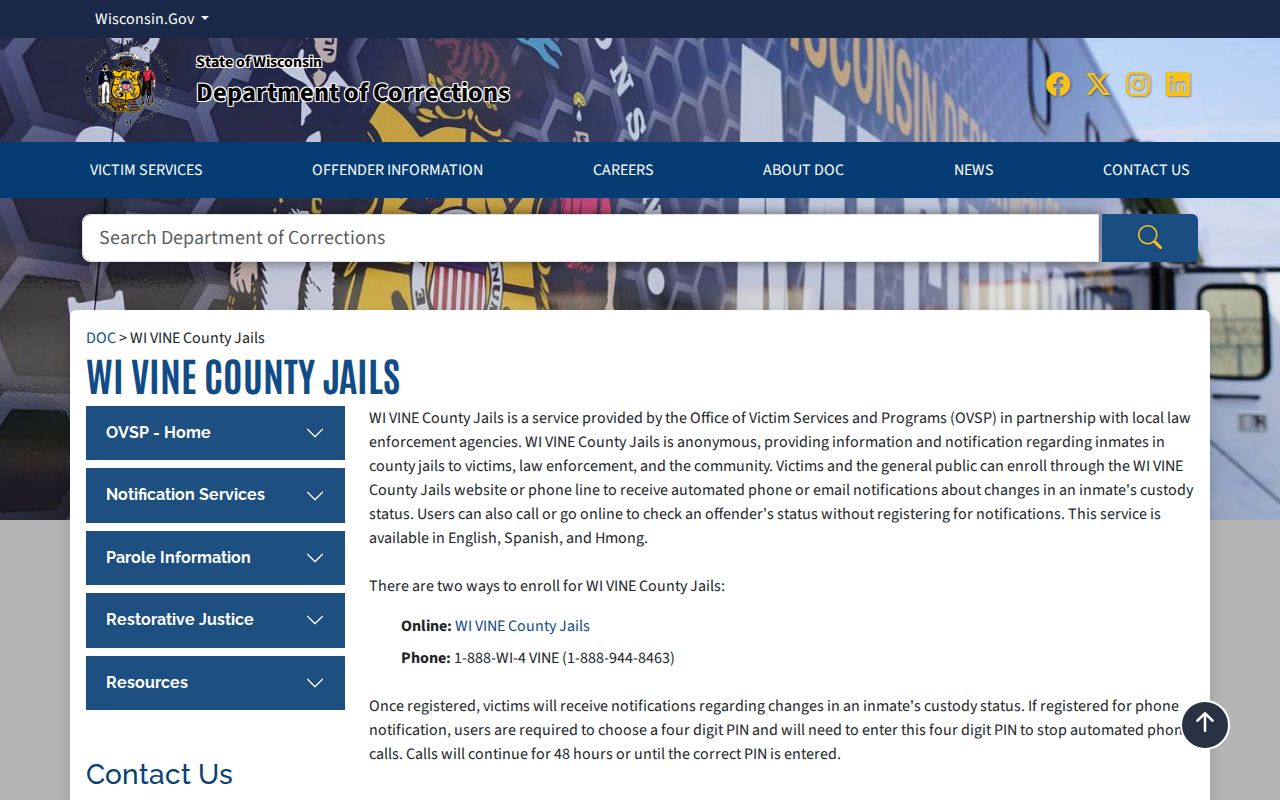
The Wisconsin DOC VINE instructions walk through anonymous checks, registration, supported languages, the phone line, and the PIN.
For the state service itself, the DOC Office of Victim Services and Programs lists 608-240-5888 and 1-800-947-5777. Its Madison address is 3099 Washington Avenue, P.O. Box 7925, Madison, WI 53704-7925. Local jail questions still go to the Winnebago jail line. Neither channel posts booking photos.
VINELink Limits and How to Confirm
VINE can lag behind a fresh booking. A new Winnebago County arrest may not appear in the system right away. Sometimes the service reports a release or transfer. The local roster may still show the person in custody. The reverse can happen too. Timing explains much of it. An empty result proves nothing. It does not mean no arrest happened.
VINE tracks custody status, not history. It holds no complete Winnebago County booking record and shows no public booking-photo gallery. Need a formal record? Submit a focused request through the sheriff's NextRequest portal. Give a name, date, agency, or booking number so staff can find the file fast. Court questions go elsewhere. Ask the Clerk of Courts or search WCCA instead. The county-wide Winnebago recent-arrests hub pulls the fuller picture together, covering the current roster, booking record fields, photos, the court path, warrants contact, and state and federal branches. A VINE check complements that by watching one person's custody status. Pick the tool by the record you want, not by the mention of an arrest.
Keep Alert Information Private
Your VINE registration is private. It creates no public list of who's watching. Keep phone numbers, email addresses, PINs, and any victim or family details out of screenshots and shared notes. The service exists to tell the registrant about a status change and nothing more. An alert can still matter. It helps when a release or transfer happens quickly. But it won't say why the person was released. Check WCCA for public case events and the county record for the original booking language. Treat every alert as a time-stamped status note that may need confirmation.